LDV4300D Overview
Introduction
The Pioneer LD-V4300D is the reference Laserdisc player for the Domesday Duplicator board. The player was chosen for several reasons:
- Single-sided industrial player - The player is well constructed and the single-sided design means the optical assembly has strong linear tracking mechanics
- PAL and NTSC compatible - The player is can be switched for both PAL and NTSC discs
- Digital and Analogue audio - The player supports both the analogue audio (used by the AIV laserdiscs) and digital audio (used by more modern discs)
- Serial remote control - The player can be controlled by a computer using the serial control port. This port supports both RS232C and TTL level serial communication
- Relatively modern player - Most players were constructed around 1998 making the LD-V4300D fairly modern by laserdisc standards
- Documentation - The service guide and other documentation is available for the player
- RF output - The player has an 50 Ohm RF test point that is relatively easy to access and provides a reasonable strong signal
- Head interlock mechanism - The player features an automatic head interlock mechanism that fixes the optical assembly in place when not in use. This makes the player easier (and safer) to transport
Front and rear panels
The following image shows the front-panel of the LD-V4300D:
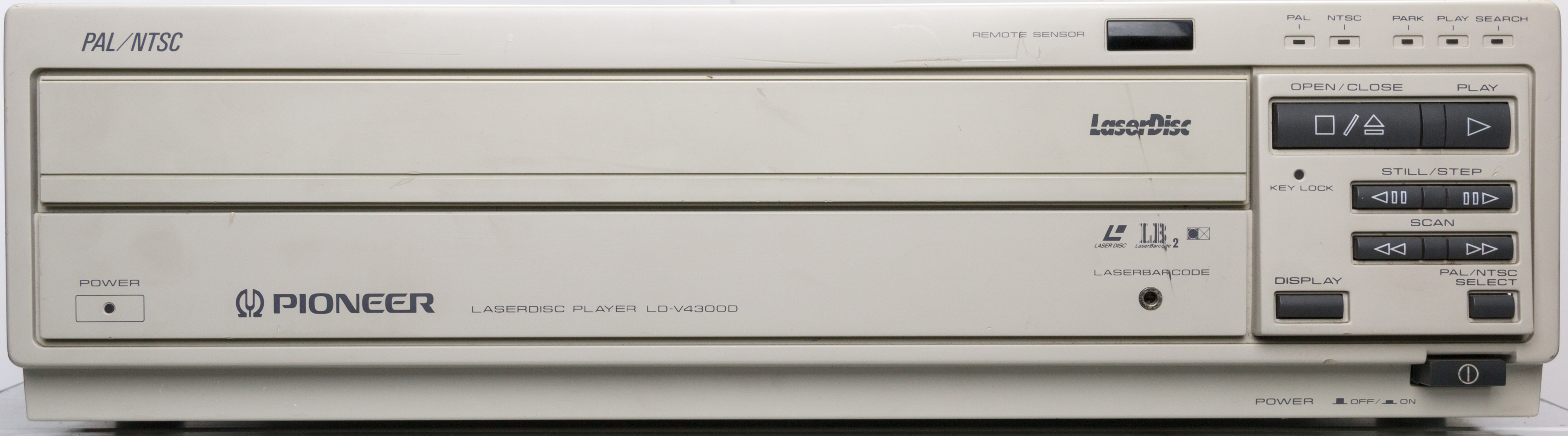
LD-V4300D Front Panel
The following image shows the back-panel of the LD-V4300D:
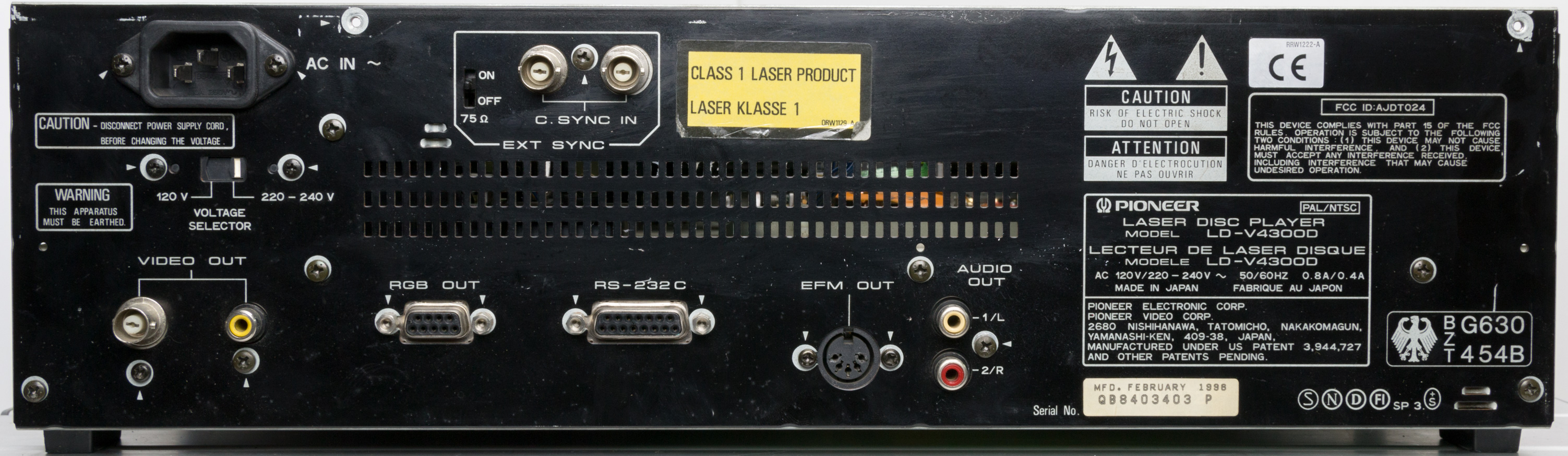
LD-V4300D Back Panel
Documentation
The following links provide PDF versions of the documentation for the player:
Pioneer LD-V4300D Specifications
Pioneer LD-V4300D Operating Instructions EN
Pioneer LD-V4300D Service Manual
Restoration, repair and calibration guides
A guide to the disassembly, cleaning and reassembly of the LD-V4300D is available here.
A guide to adding a RF output connector (for connection to the Domesday Duplicator) is available here.
Serial control adapter
The Pioneer LD-V4300D provides access to the serial control features of the player via a 15-pin DSUB connector on the back panel of the player. This type of connector is a non-standard output as it provides pins for both RS-232-C level (12V) signals as well as TTL (5V) level signals. In order to connect the player to a computer using a standard USB to 9-pin DSUB connector an adapter should be made using a male 15-pin DSUB and female 9-pin DSUB with the following connections:
Player pin 1 (GND) - Host pin 5
Player pin 2 (TxD) - Host pin 2
Player pin 3 (RxD) - Host pin 3
Player pin 4 (DTR) - Host pin 6
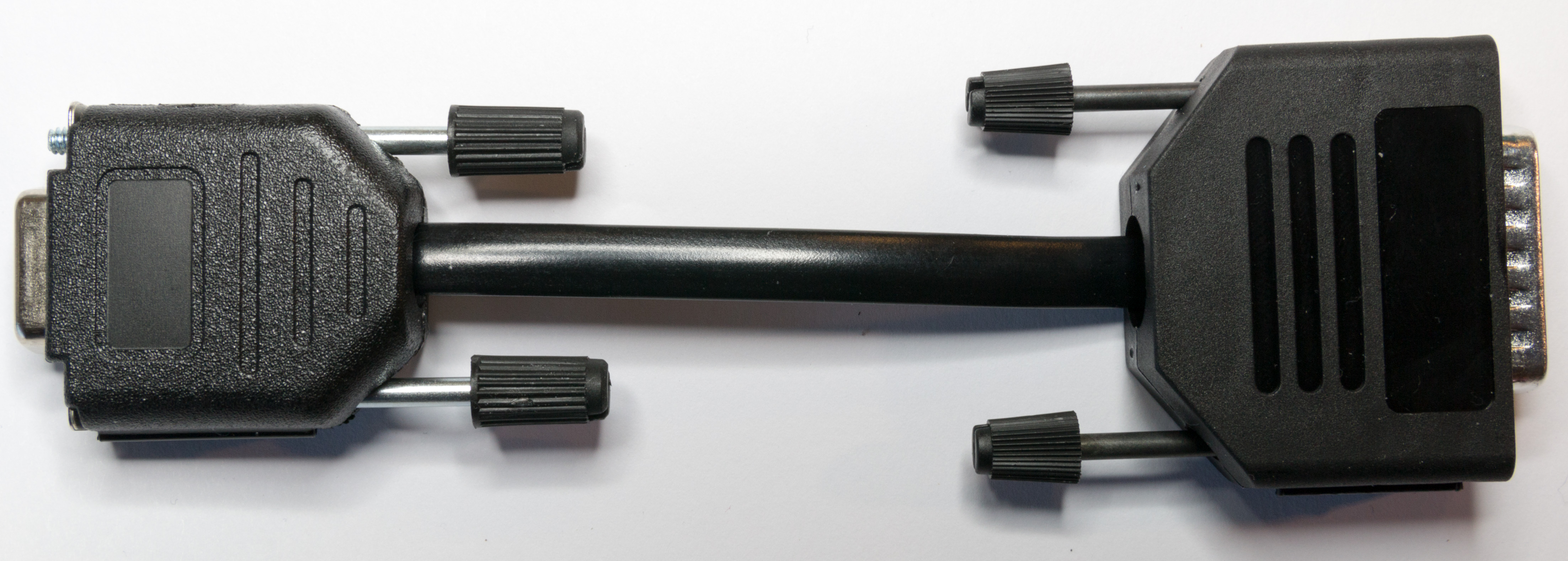
Pioneer LD-V4300D Serial Adapter
Note that this is a DTE to DTE cable (rather than the DTE to DCE cable shown in the manufacturer’s documentation). The pin out in the manufacturer’s document will require a DTE to DCE converter if used with a modern USB adapter.
IR remote control
The Pioneer CU-V113A consumer remote control can be used to control the LD-V4300D. The remote control is shown in the following image:
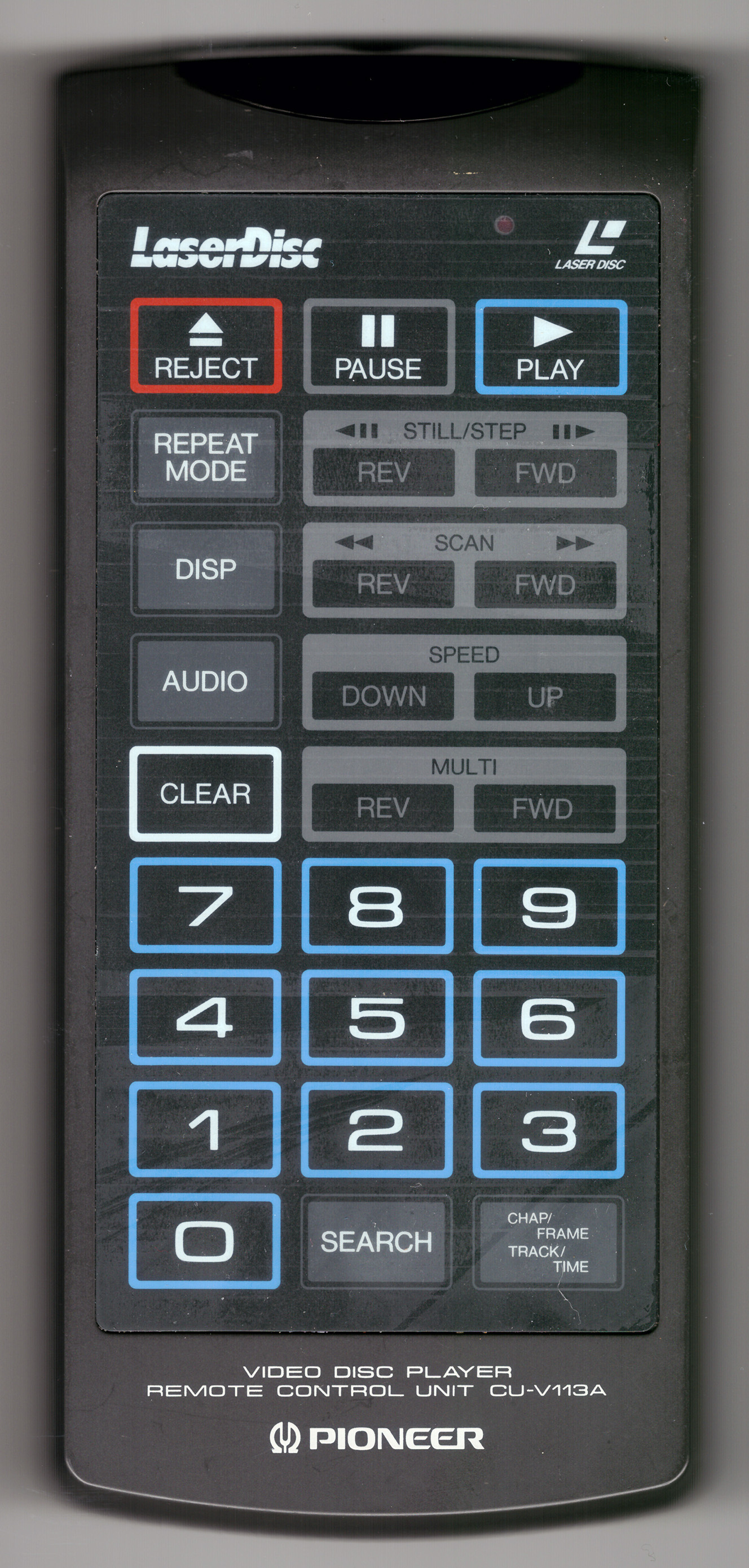
Pioneer CU-V113A IR Remote Control
The IR remote control codes generally available on the web are not correct for this remote (specifically the codes for Multi-REV and Multi-FWD are incorrect in all the LIRC and IR blaster configurations found). The correct hex-codes for this remote are as follows:
# Pioneer CU-V113A Hex IR Codes
# Simon Inns - 20180413
#
0xa816 KEY_REJECT
0xa818 KEY_PAUSE
0xa817 KEY_PLAY
0xa844 KEY_REPEAT_MODE
0xa850 KEY_STILL_STEP_REV
0xa854 KEY_STILL_STEP_FWD
0xa843 KEY_DISP
0xa811 KEY_SCAN_REV
0xa810 KEY_SCAN_FWD
0xa81e KEY_AUDIO
0xa846 KEY_SPEED_DOWN
0xa847 KEY_SPEED_UP
0xa845 KEY_CLEAR
0xa855 KEY_MULTI_REV
0xa858 KEY_MULTI_FWD
0xa807 KEY_7
0xa808 KEY_8
0xa809 KEY_9
0xa804 KEY_4
0xa805 KEY_5
0xa806 KEY_6
0xa801 KEY_1
0xa802 KEY_2
0xa803 KEY_3
0xa800 KEY_0
0xa842 KEY_SEARCH
0xa813 KEY_CHAP_FRAME_TRACK_TIME   `
Using the LD-V4400 NTSC version
It has been reported that the LD-V4400 (which is the NTSC only version of the LD-V4300D) can be used to play both PAL and NTSC discs if the on-board EPROM is changed for the 4300D version. Note that the player will not output PAL video via the composite or RGB outputs as the circuitry is missing; but it will capture PAL using the Domesday Duplicator.
The following zip file contains both BIN and HEX images of both the LD-V4300D EPROM and the LD-V4400 EPROM for use with an EPROM programmer:
Note that any modification of a player is risky and can result in permanent damage. Use these ROM images at your own risk.